Free WordPress plugin
Make your login page look like your brand.
HDY Login Branding replaces the default WordPress logo, sets your login page and button colors, and changes the button wording, all from one Settings screen. No code and no theme edits.
Why it exists
The login screen is part of your website too.
Most sites are carefully branded right up to the moment somebody signs in. Then the screen turns generic: the WordPress logo, a blue button, and none of the work you put into everything else.
- Clients, members, and staff see your brand at the moment they log in.
- Nothing is hard-coded into a theme, so an update never undoes it.
- Every option lives on one screen in the WordPress admin.
Before and after
Same login URL. A very different first impression.
Nothing about how logging in works changes. Only what people see while they do it.
The WordPress default
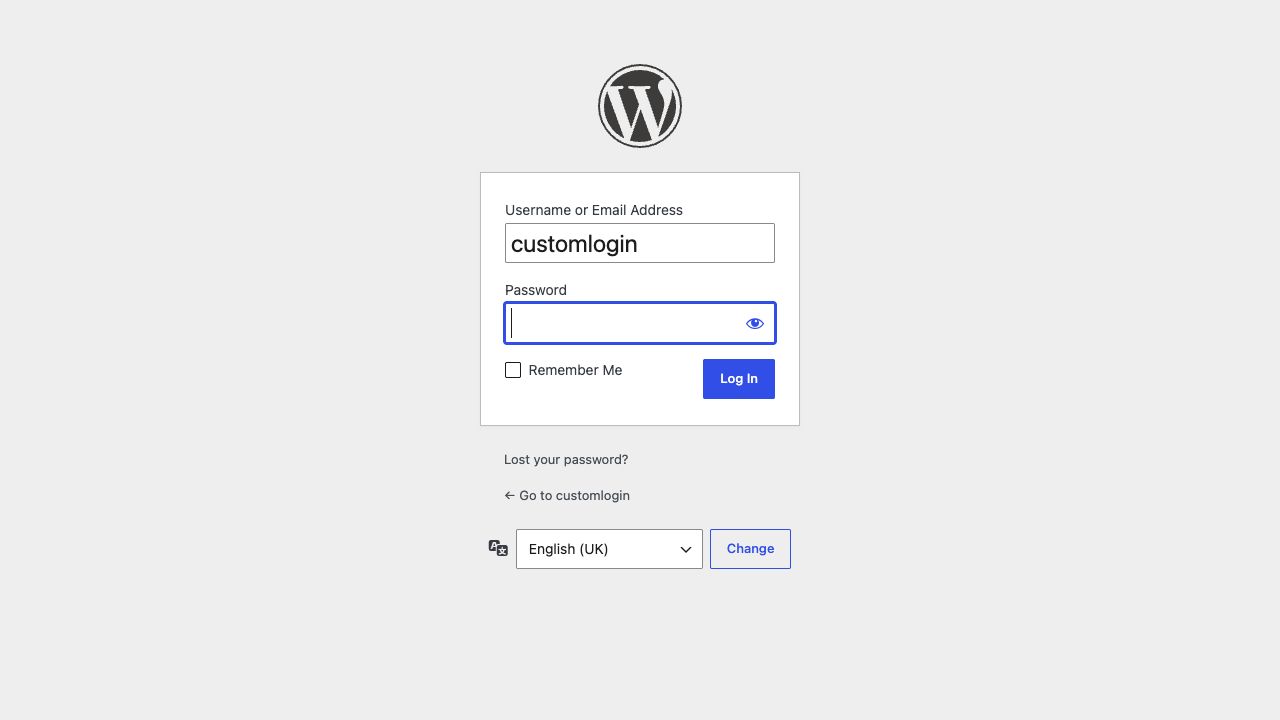
The stock logo linking away to wordpress.org, a grey background, and a generic Log In button, on an otherwise carefully branded site.
Your logo, your colors
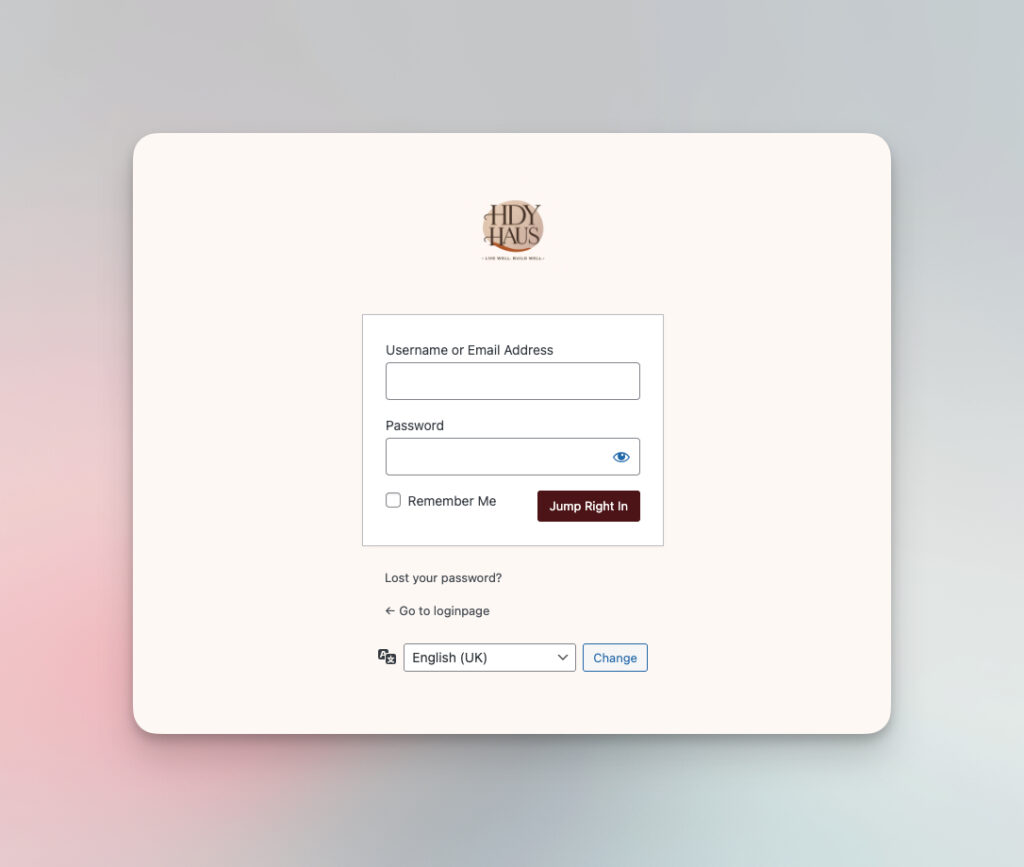
Your own logo linking back to your homepage, a background color that matches your site, and a button worded the way you would word it.
What you can change
Six settings, and nothing you do not need.
The plugin does one job. Every option below is a plain field with a short explanation underneath it.
Custom logo
Replace the WordPress logo with any image from your Media Library, and switch the custom logo off again whenever you want.
Logo link
With the custom logo enabled, the logo links to your own homepage instead of sending people to wordpress.org.
Background color
Set the login page background to a color that belongs with the rest of your site.
Button text
Change the login button from the default Log In wording to whatever suits your brand and your audience.
Button colors
Set the login button background color and its text color separately, so the button stays readable.
One settings page
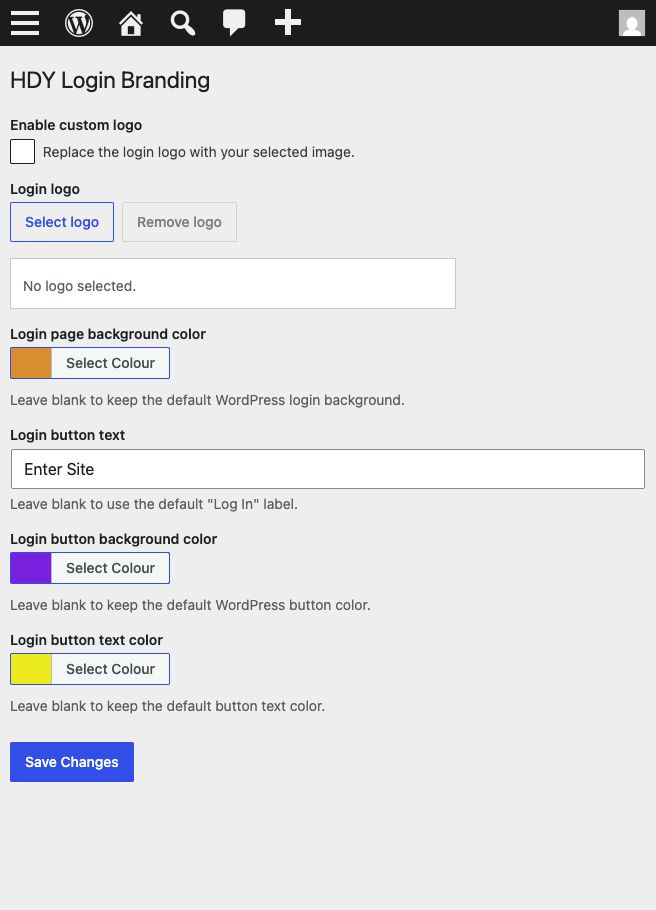
Everything sits under Settings, HDY Login Branding. No template files, no custom CSS, and no code to paste anywhere.
How it works
A settings page written for beginners.
Choose a logo from the Media Library, pick your colors, type your button text, and save. The login screen picks it up straight away.
- Leave any field blank to keep the WordPress default for it.
- The login logo sits in the 320 by 120 pixel space WordPress reserves, and larger images are scaled to fit.
Getting started
Installed and branded in a few minutes.
Install it
Search for HDY Login Branding under Plugins, Add New. Or download the zip from WordPress.org or GitHub and upload it.
Activate it
Activate the plugin. Your login screen stays exactly as it is until you choose your own settings.
Brand it
Open Settings, HDY Login Branding. Pick your logo, set the background and button colors, and write your button text.
Check it
Save, then open your login page in a private window so you see it the way everybody else will.
Built by HDY Haus
Small, focused, and open source.
HDY Login Branding came out of doing the same small job by hand on client site after client site: making the login screen match the brand around it. It does that one thing and then stops.
- Published on the WordPress.org plugin directory and licensed GPL-3.0 or later.
- Source code, issues, and releases are public on GitHub.
- Questions are answered on the WordPress.org support forum.
Requirements
It runs on almost any WordPress site.
Give your login screen the same care as the rest of your site.
Install HDY Login Branding, choose your logo and colors, and the last screen before the dashboard will finally look like it belongs to you.
Want a hand setting it up, or the whole admin to match your brand? Ask HDY Haus. Already using it? Leave a review.